KeyFarmer ecosystem for Premiere Pro

Practical workflow tools for video editors.

Small focused plugins built to improve speed, rhythm, and workflow inside Adobe Premiere Pro.

Premiere Pro · UXP Plugins · Local Processing

KeyFarmer
Cut to Beat
Beat markers ready
Motion Bridge
Transform pass clean
Position
Scale
Blur

Plugins

Products under the KeyFarmer ecosystem.

Each plugin is focused on a real editing bottleneck. KeyFarmer keeps the tools small, predictable, and useful inside daily Premiere Pro work.

Cut to Beat product poster for the Premiere Pro plugin.
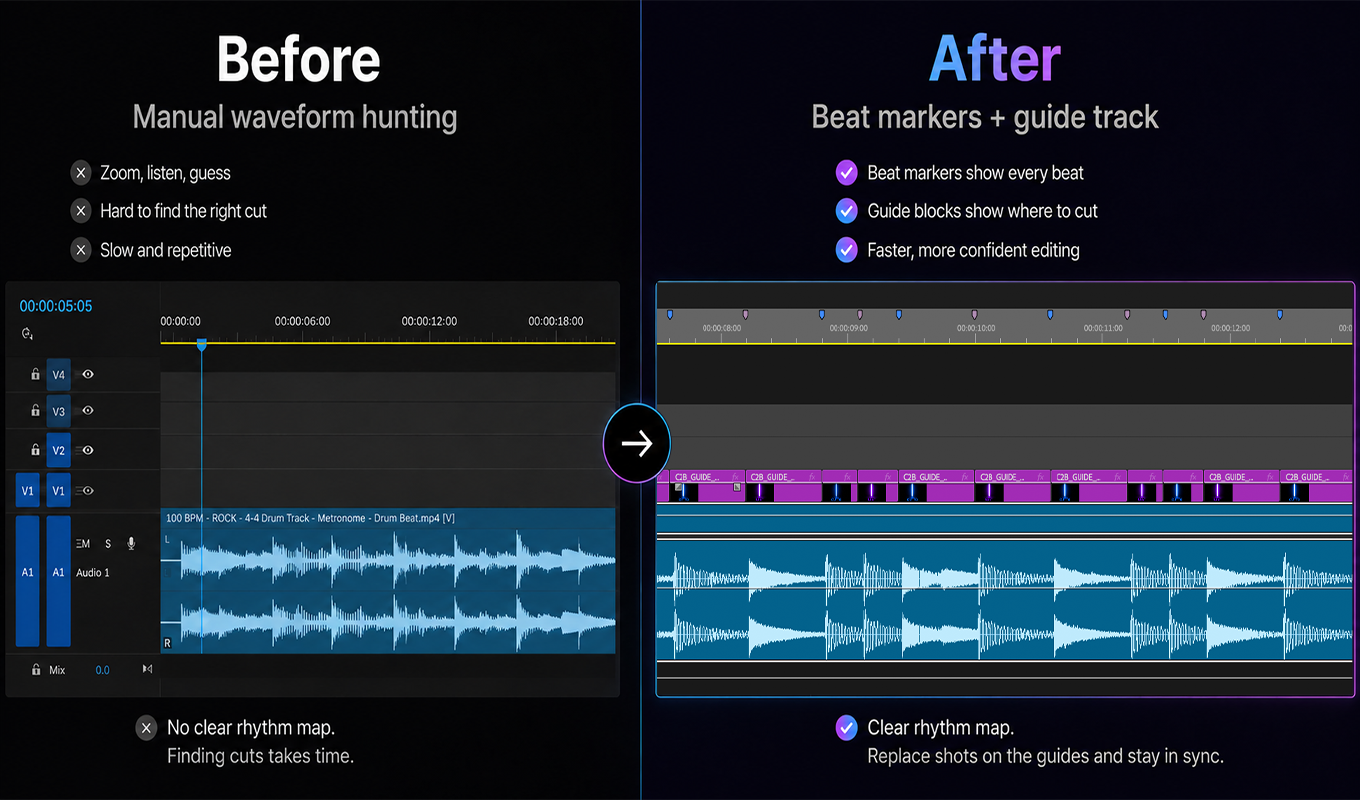
Cut to Beat before and after showing manual waveform hunting versus beat markers and a guide track.
Before / After
Cut to Beat sensitivity controls for low, balanced, and high beat detection.
Sensitivity
Cut to Beat WAV workflow showing compressed audio converted to WAV for best detection.
WAV Detection
Cut to Beat marker cleanup showing only generated markers removed while user markers stay.
Marker Cleanup

Cut to Beat

Detect rhythm, create timeline markers, and build cleaner beat-synced edits without hunting through waveforms frame by frame.

Beat detectionGuide tracksMarker cleanup
View on Adobe Exchange
Motion Bridge product poster for the Premiere Pro plugin.
Motion Bridge transfer keyframes poster showing the Motion to Transform interface for better motion blur.
Transfer Keyframes
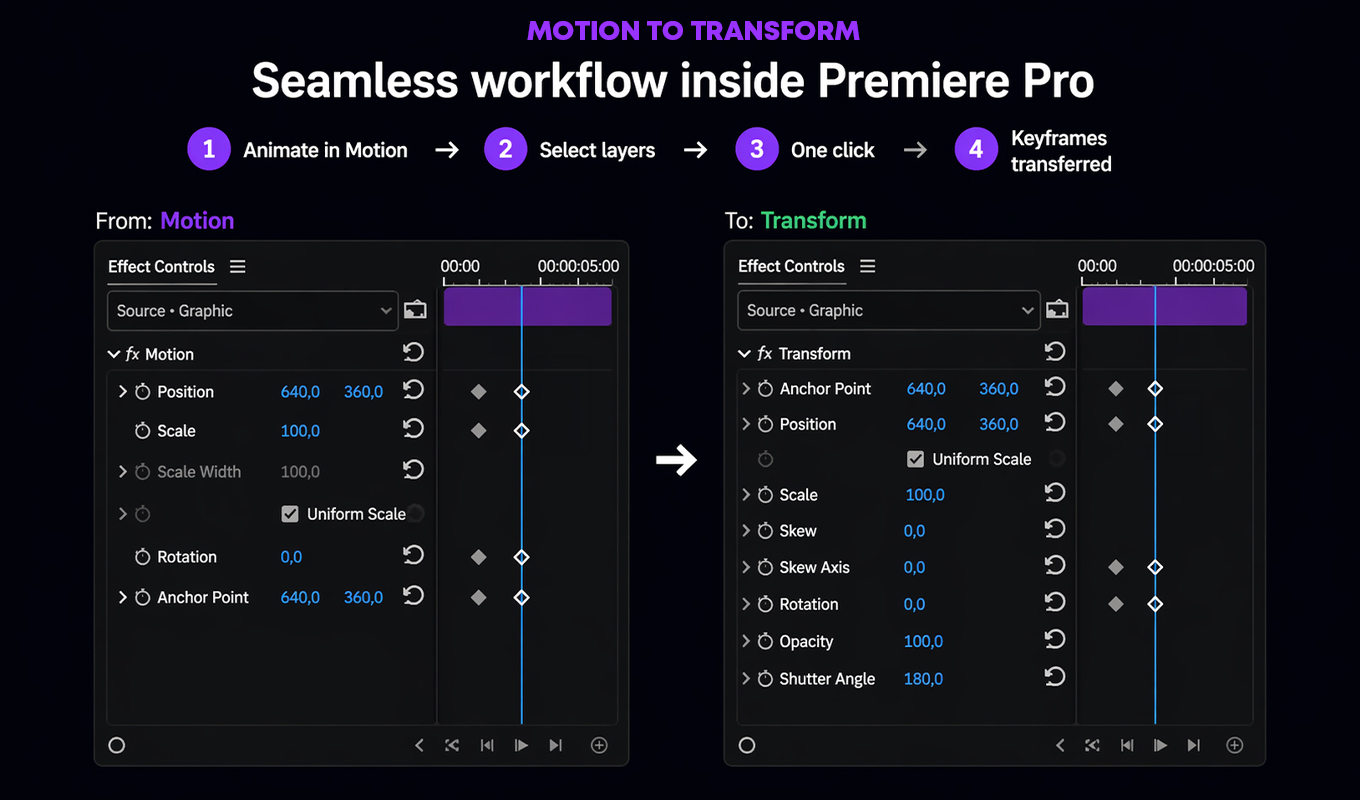
Motion Bridge workflow inside Premiere Pro showing keyframes transferred from Motion to Transform.
Premiere Workflow
Motion Bridge before and after showing Motion without blur and Transform with real motion blur.
Motion Blur

Motion Bridge

Move motion work into a cleaner transform workflow so editors can preserve timing while preparing animation for polished finishing.

Transform handoffMotion blur readyOne-click workflow
View on Adobe Exchange

About KeyFarmer

A focused software brand for editors who live in the timeline.

KeyFarmer builds practical workflow tools for Adobe Premiere Pro editors and post-production professionals. The brand is intentionally small: each product exists to remove a specific point of friction from editing, motion cleanup, rhythm work, or finishing prep.

The goal is not to replace the editor. It is to make repetitive technical steps faster and more reliable, so creative decisions stay where they belong: with the person cutting the project.

Focused

One tool, one clear workflow.

Local

Built around local Premiere Pro work.

Practical

Designed for real post-production habits.