5.0/5
Based on 1 rating1 Adobe Marketplace review · Rating scale: 1 to 5
Good Plugin
It does exactly what you need for beat detection and marking those beats on the timeline etc when some plugins with the same function cost a whole lot more.

Available on Adobe Exchange
Cut to Beat helps Premiere Pro editors turn music rhythm into usable timeline structure. It analyzes audio, creates beat markers, and can build a guide track so music-driven edits become easier to plan and execute.
Launch price: $4.99. Available through Adobe Exchange. Pricing may change as the tools grow.
Visual examples
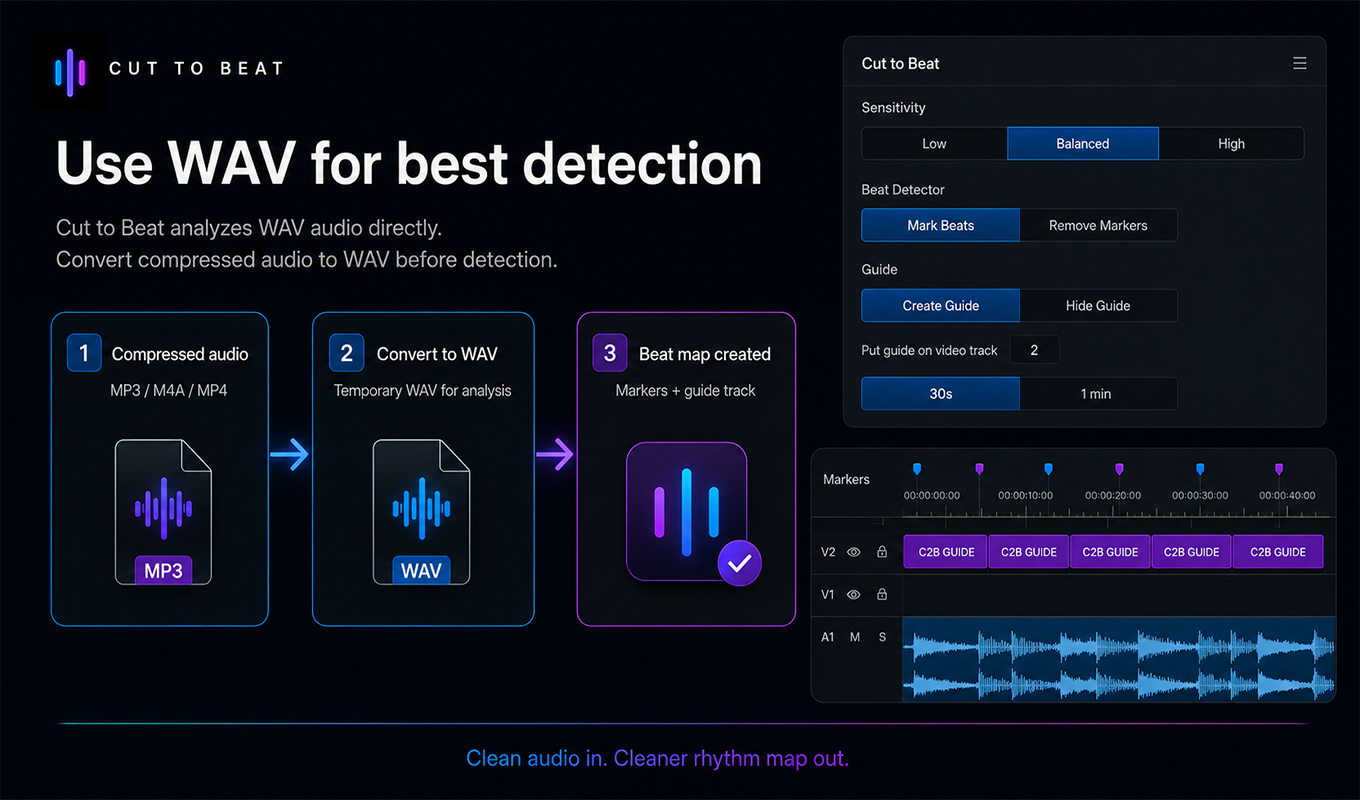
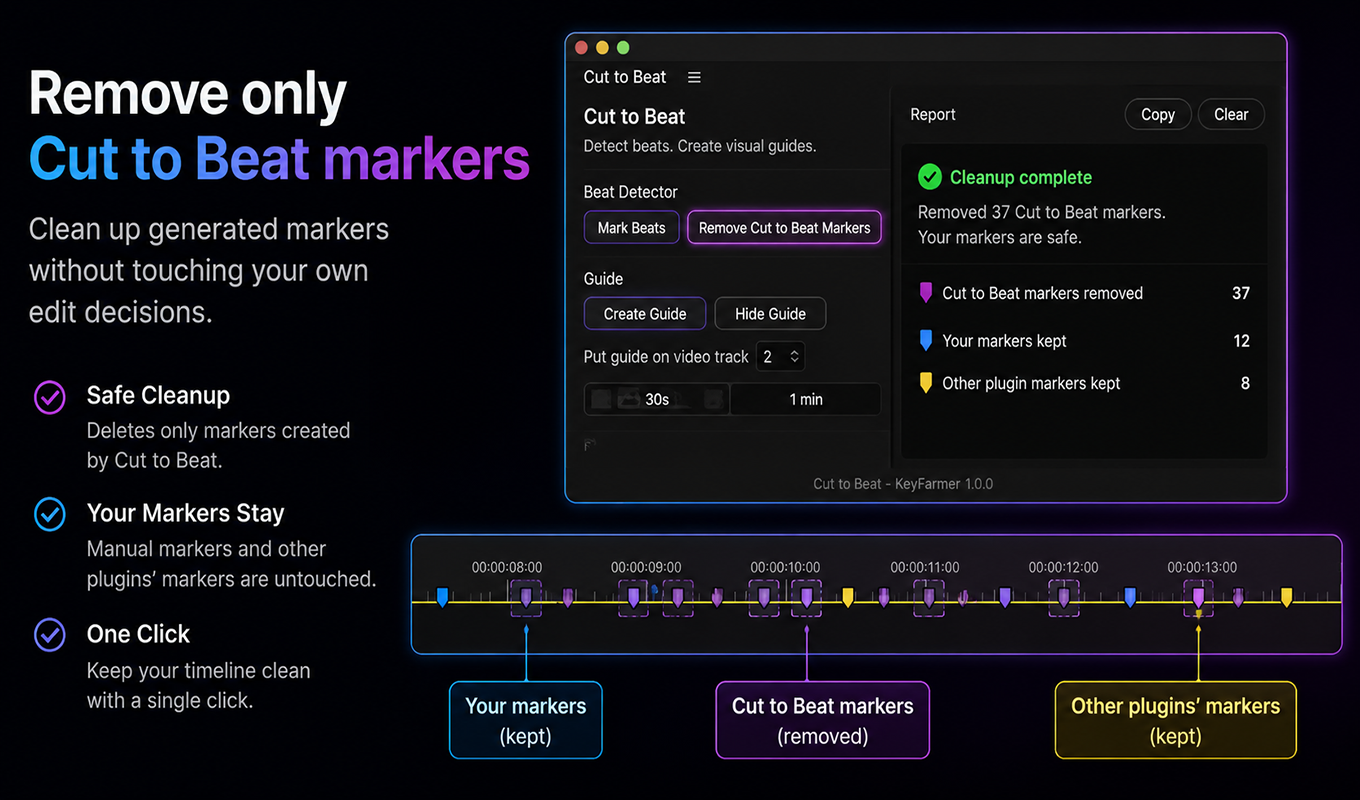
Screenshots show Cut to Beat around sensitivity, guide creation, marker cleanup, and WAV-based detection.
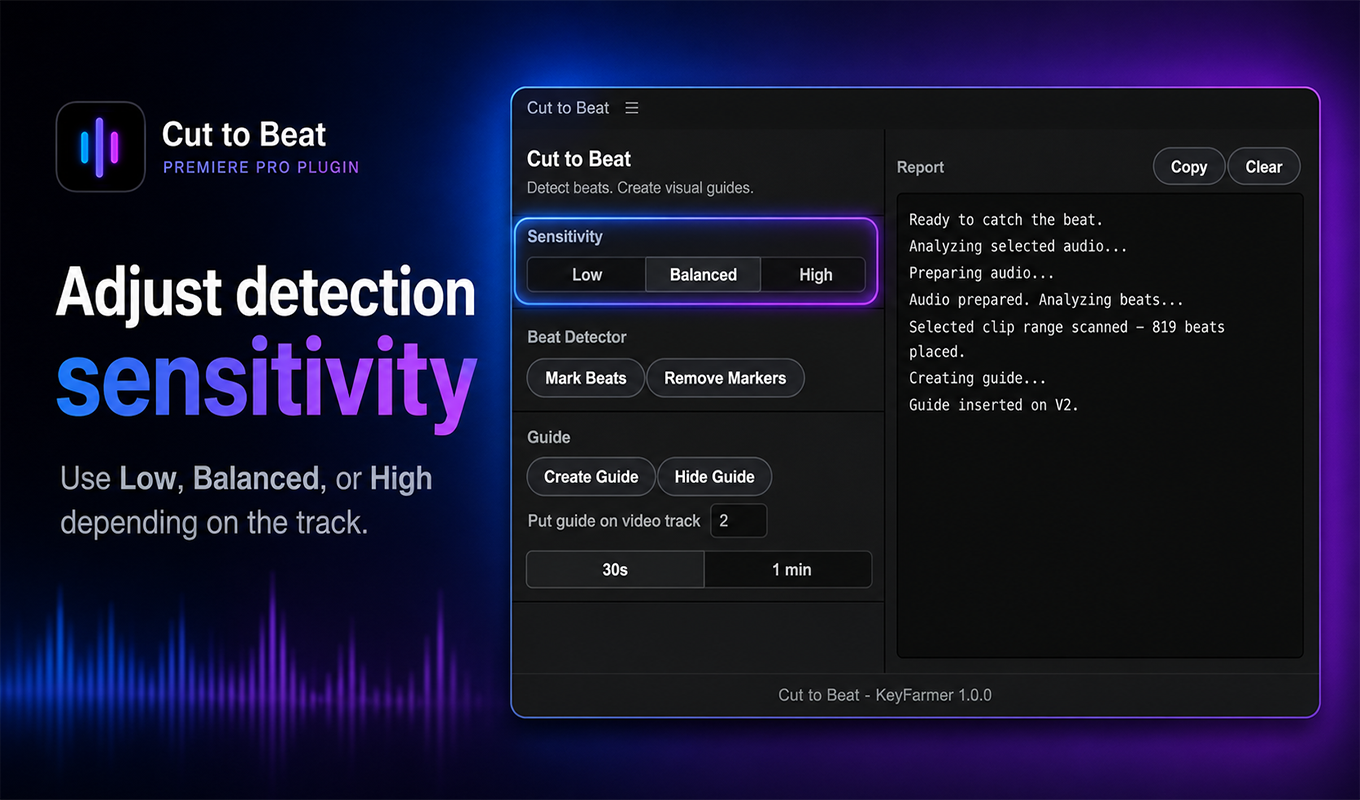
Cut to Beat sensitivity controls for beat detection in Premiere Pro.
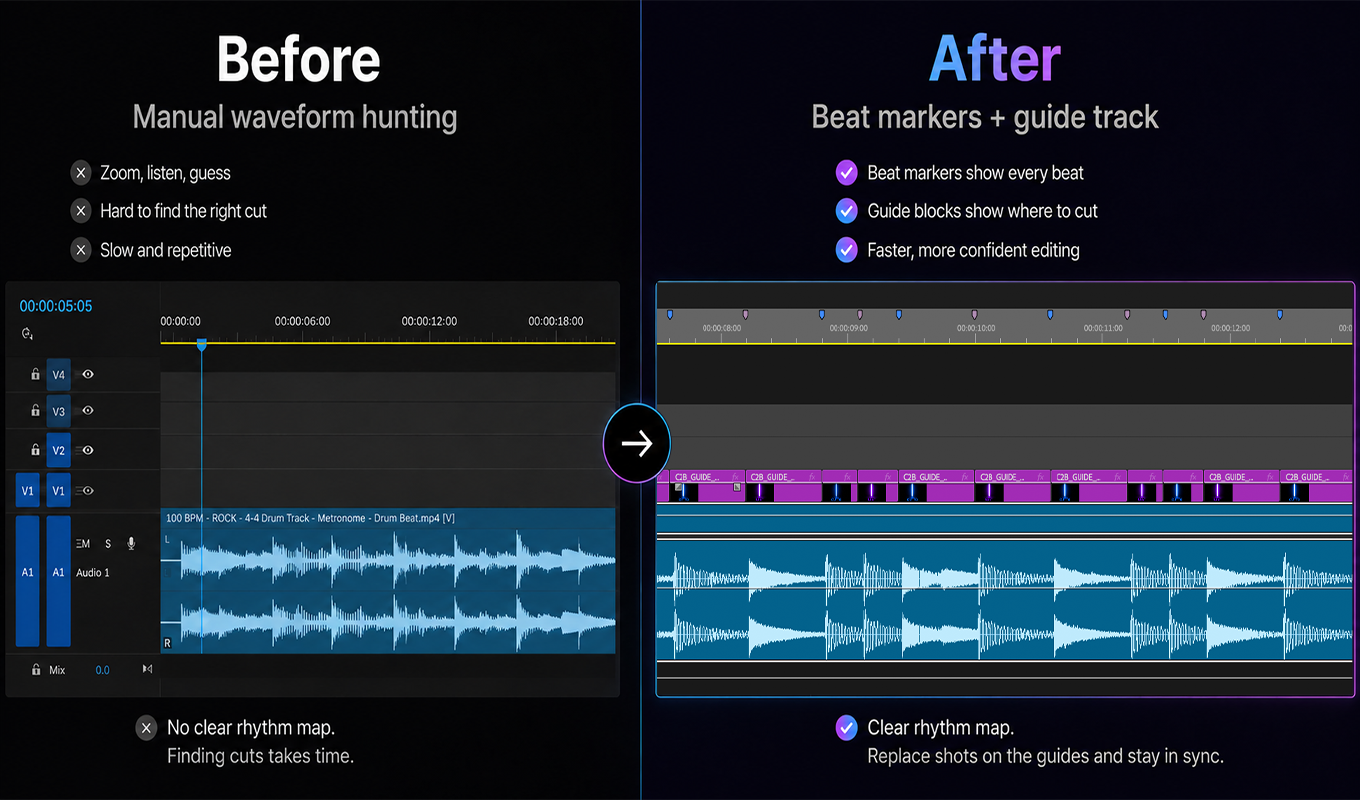
Cut to Beat before and after timeline showing beat markers and a guide track in Premiere Pro.
Cut to Beat marker cleanup report showing generated markers removed while user and other plugin markers stay.
Cut to Beat WAV detection workflow showing compressed audio converted to WAV before beat marker creation.
Product Q&A
WAV audio gives Cut to Beat cleaner source data for rhythm detection. Compressed formats can be converted to WAV before running detection for best results.
Cut to Beat cannot currently analyze audio whose duration has been changed using Premiere Pro's Remix tool. Export the adjusted music as a new audio file, preferably in WAV format, then import that new file into Premiere Pro and run Cut to Beat on the newly imported clip.
Adobe Marketplace review
1 Adobe Marketplace review · Rating scale: 1 to 5
It does exactly what you need for beat detection and marking those beats on the timeline etc when some plugins with the same function cost a whole lot more.
Workflow notes